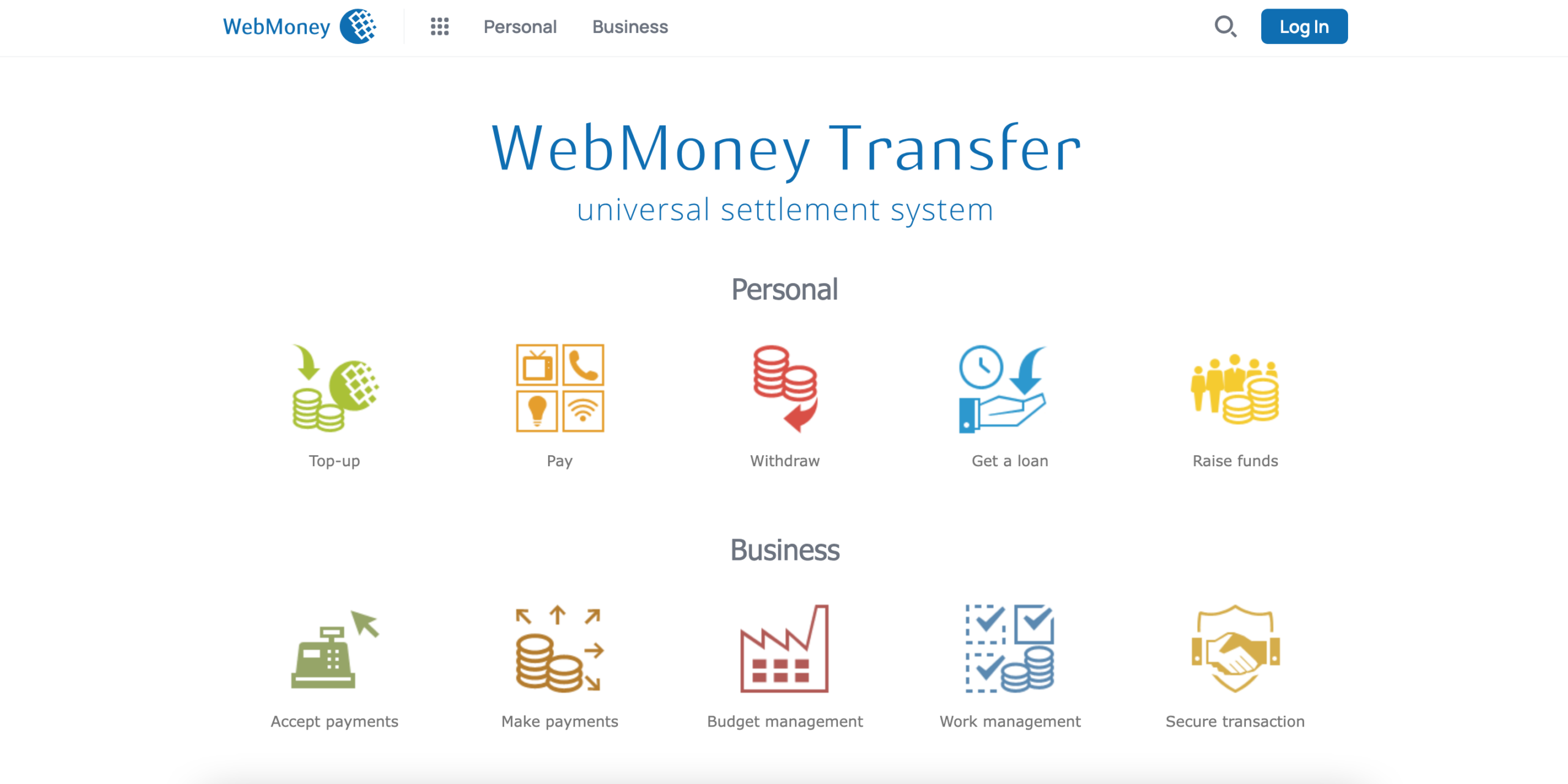
WebMoney’s Expansion into Canada

WebMoney is a financial transaction system that was first introduced in Russia. It has since crossed borders and is now accessible in Canada as well. Continue reading this WebMoney review to discover more details about this payment system.
How WebMoney Transactions Function in Canada
This payment platform enables transactions to electronic wallets. You can establish a single account along with multiple e-wallets based on the currency you require. WebMoney facilitates transactions among various e-purses, enables online purchase payments, allows for money withdrawals to cards, and more.
Is WebMoney Reliable for Transactions
It is a completely secure payment platform that facilitates online transactions without the need to disclose any credit card information. Users enjoy full protection against unauthorised access. The system employs various methods of authentication, including secret keys, digital certificates, and a combination of login and password.
How to Sign Up for WebMoney
The WebMoney payment system in Canada operates similarly to its functionality in other nations. Prior to executing any transaction within the system, you must complete the registration process.
Submitting Personal Details
Adhere to our straightforward step-by-step guide to sign up with WebMoney:
- Select the Sign Up button
- Provide your mobile phone number, which is essential for payment verification through SMS as well as for quickly locating and recovering your WMID.
- Complete the fields with the necessary details.
- After entering all the information, click on the Proceed button
- Verify your email. You will receive an email containing a registration code. You can either follow the link in your email or input this validation code manually.
- Verify your phone number. Send a code to one of the numbers shown on the page. The system will verify if there are any other WMIDs linked to this phone number. If none exist, you will be prompted to register a new one. Refer to the instructions in the section below for this.
- Establish the Password for your wallet.
Creating a New WMID
During the registration process, you will have the option to establish a new WMID. You can also follow the same steps to generate multiple WMIDs. After reviewing your current WMIDs in the system, you will be prompted to create an additional one. To initiate the registration process, click the “Create new” button on the page displaying the available WMIDs (if you are a new user, this list will be empty).
STEP #1 – Sign in using one of the WM Keepers you have selected to manage your WMIDs.
STEP #2 – Select the type of registration. Choose “Register a personal WMID.”
STEP #3 – Decide on the type of WM Keeper you would like to utilise for your new WMID.
That’s it; you can now make use of your new WMID. Any WMID that is newly created will be automatically linked to your passport.
Signing Up Through Social Media Accounts
Users can register with the WebMoney system through social media platforms. There are two methods available:
- Vkontakte;
- Facebook.
The details regarding these accounts are as follows:
- No username or password is required as you will log in using your social media account;
- No email address is necessary.
Below is a description of the registration process using Facebook as an example:
- Go to the WebMoney Keeper application in your Facebook profile.
- Input your phone number and click the Confirm button.
- Receive a verification code via SMS to your mobile, enter it in the designated fields, and click the Confirm button to move forward.
- If multiple WMIDs are associated with your phone number, choose which one you wish to use for managing the application. If no WMID is found, you will need to register with the system first. Click the Continue button to advance.
- Verify your chosen login method based on the type of WMID.
- Access your account.
- You will be directed to the main interface of WebMoney Keeper. All your contacts will be imported automatically.
- You can now add or create a new purse. Go to the “Purse” section and click the “+” button. Choose a purse, set the purse limits, and confirm your intention by entering the confirmation code you will receive via SMS.
Types of Products
Discover how you can utilise the WebMoney system for conducting payment transactions and retrieving your funds.
WebMoney Account
Your WebMoney account can be associated with various services to facilitate different electronic payments. This necessitates the verification of the user’s information alongside the account in the alternative payment system or a bank card.
At present, the following services may be connected to your WM purse:
- Yoomoney;
- Alfa-click accounts;
- Credit and debit cards;
- Conservative commercial Bank account (KKB).
You must possess at least a formal passport within the system. Furthermore, it is essential to upload a copy of your passport that includes your current address for verification purposes.
ATM and Virtual Cards
Users of the WebMoney payment platform have the option to request cards. These are available in two types:
- Plastic cards;
- Virtual cards.
All cards are issued by reputable and secure global payment networks such as Visa, MasterCard, and others. They can be utilised for withdrawals from the users’ WM-purses.
At WebMoney, it is possible to request one or multiple cards. This service is accessible to users who possess at least a formal certificate from the WebMoney system with verified information.
The cards are also suitable for conducting online transactions. The main distinction between plastic and virtual cards is that the former can be used for cash withdrawals at ATMs, whereas virtual cards do not offer this capability.
WebMoney Wallets
WM-Purse is a feature that can be registered under your WMID. Each wallet is assigned a unique registration number made up of 12 digits along with a currency designation. At the start of the numbers, there is a letter-prefix that signifies the currency.
For instance, if the letter Z is used for US dollars, the letter R denotes a wallet in Russian rubles. The purse number is essential for executing Webmoney transactions. It is not feasible to send money to a WMID without knowing the corresponding wallet number.
Purchasing a WebMoney Card
Acquiring WebMoney cards enables users to withdraw money from their wallets swiftly and effortlessly. They offer the same functionalities as any standard debit card. This service is exclusively available to individuals who are registered with the payment system.
Requirements for Certification
In order to request a card, you must possess at least a valid passport. To acquire one, submit scanned images of the required identification documents.
WMZ and WME Prepaid Card
To acquire a WebMoney plastic card, adhere to these instructions:
- Log in to your account;
- Choose a card type and submit your request;
- Receive the card by mail and activate it.
Obtaining a virtual card only takes a few minutes. You will be sent all the necessary information to the WM Keeper or your mobile number via SMS.
Types of WebMoney Purses and Their Management
WebMoney provides its users with the option to select from various types of purses. The method of logging in will vary based on the selection made.
Keeper Standard (Mini)
This variant of WebMoney Keeper may not offer as many features as the Classic or Light editions, but it is user-friendly. It enables users to access their accounts by entering their username and password.
Keeper WinPro (Classic)
This software offers complete system functionality. To utilise it, certain system prerequisites must be met, including having a Windows operating system from 2003 or later and Internet Explorer version 9.0 or above.
Keeper WebPro (Light)
This edition does not necessitate any downloads on your device. You can log into your account via your web browser. Initially, you will need to install security certificates to your browser.
Keeper for Social Media
At present, there are two variants accessible, namely WM Keeper Facebook and WM Keeper Vkontakte. Users are able to access their accounts by entering their login credentials from those social media platforms.
Funding Your WebMoney Account
There are numerous options available for adding funds to your WebMoney wallets. It is important to be aware that not every deposit method is applicable to all currencies.
The available deposit options consist of the following:
- Bank transfer (WMR, WMZ, WME, WMU, WMB, WMG);
- Payment terminals and ATMs (WMR, WMZ, WME, WMU);
- Internet banking (WMR, WMZ, WME, WMU, WMB);
- Online from bank card (WMR, WMU);
- Money transfer systems (WMR, WMZ, WME);
- Through bank department (WMZ, WME, WMU);
- Through exchange points (WMR, WMZ, WME, WMU, WMB, WMG);
- From mobile phone account (WMR, WMU, WMB);
- By prepaid WM-card (WMR, WMZ, WME, WMU, WMB);
- By post (WMR, WMB).
Withdrawing Funds Using WebMoney
Users have a variety of options when it comes to withdrawing their funds from WebMoney. The available withdrawal methods also vary based on the currency associated with your wallet.
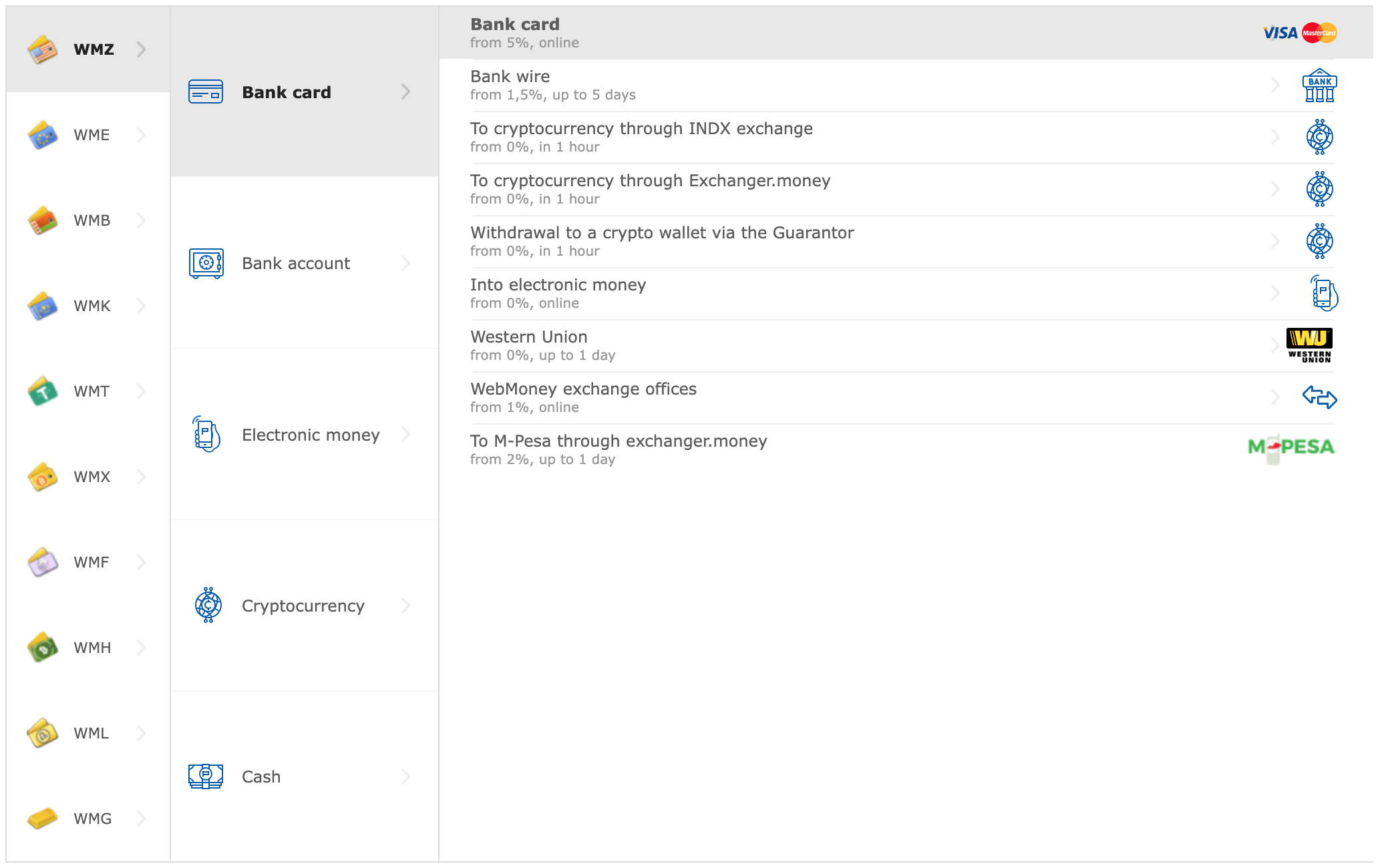
WMZ Withdrawal Options
A variety of payment options provided by WebMoney can be utilised to withdraw US dollars from your account. These options consist of:
- Bank account;
- Bank card;
- Exchange points or dealers;
- Money transfer.
WMR Withdrawal Options
If you want to withdraw Russian rubles, you can utilise all the withdrawal options provided by WebMoney, which include:
- Bank account;
- Bank card;
- Post;
- Exchange points or dealers;
- Money transfer;
- Issued online card.
Withdrawals of WMB
Belarusian rubles may be withdrawn through several payment methods, including:
- Bank account;
- Exchange points or dealers.
Withdrawal Options for Alternative Wallet Types
WMU can be withdrawn through all available withdrawal methods, with the exception of online cards that have been issued. Golden funds may be taken out via a bank account, as well as through exchange points and dealers.
System Fees and Commission
Kindly refer to the fees and commission structure of the system.
Fees for Transactions
The fees associated with the system vary depending on the currency and are outlined as follows:
Deposit Charges
The fees for deposits vary based on the currency. Below is an illustration for deposits made in US dollars:
Charges for Executing Credit Transactions
Owners of D type purses incur a fee of 0.1% on the total amount for each credit transaction, with a minimum charge of 0.01 WMZ.
Transfers Between Wallets
No charges are applied for transactions involving wallets of the same category that are associated with the identical WMID. The usual fee for moving funds is set at 0.8%, although this may rise if the payment is verified through SMS.
Withdrawal Charges
The fees for withdrawals are also influenced by the type of currency.
WebMoney Currency Exchange
It is intended for the conversion of different currencies among the users of the WebMoney system.
Categories of Exchanges
The categories of exchanges consist of:
- Wm.exchanger;
- Cards.exchanger;
- e-Money.exchanger;
- Wire.exchanger;
- Sdp.exchanger;
- Crypto.exchanger.
What is WM Exchanger
This platform facilitates the conversion of funds that are held in the wallets of WebMoney users.
Characteristics of Operation
A WebMoney exchange facilitates a direct transfer of funds among the users of the exchange. The transaction occurs according to the rate established by the involved parties.
WebMoney Software
Individuals using the system have the option to utilise applications on both desktop and mobile devices. Users operating on Windows and Mac systems can obtain the appropriate version of the application from the official website.
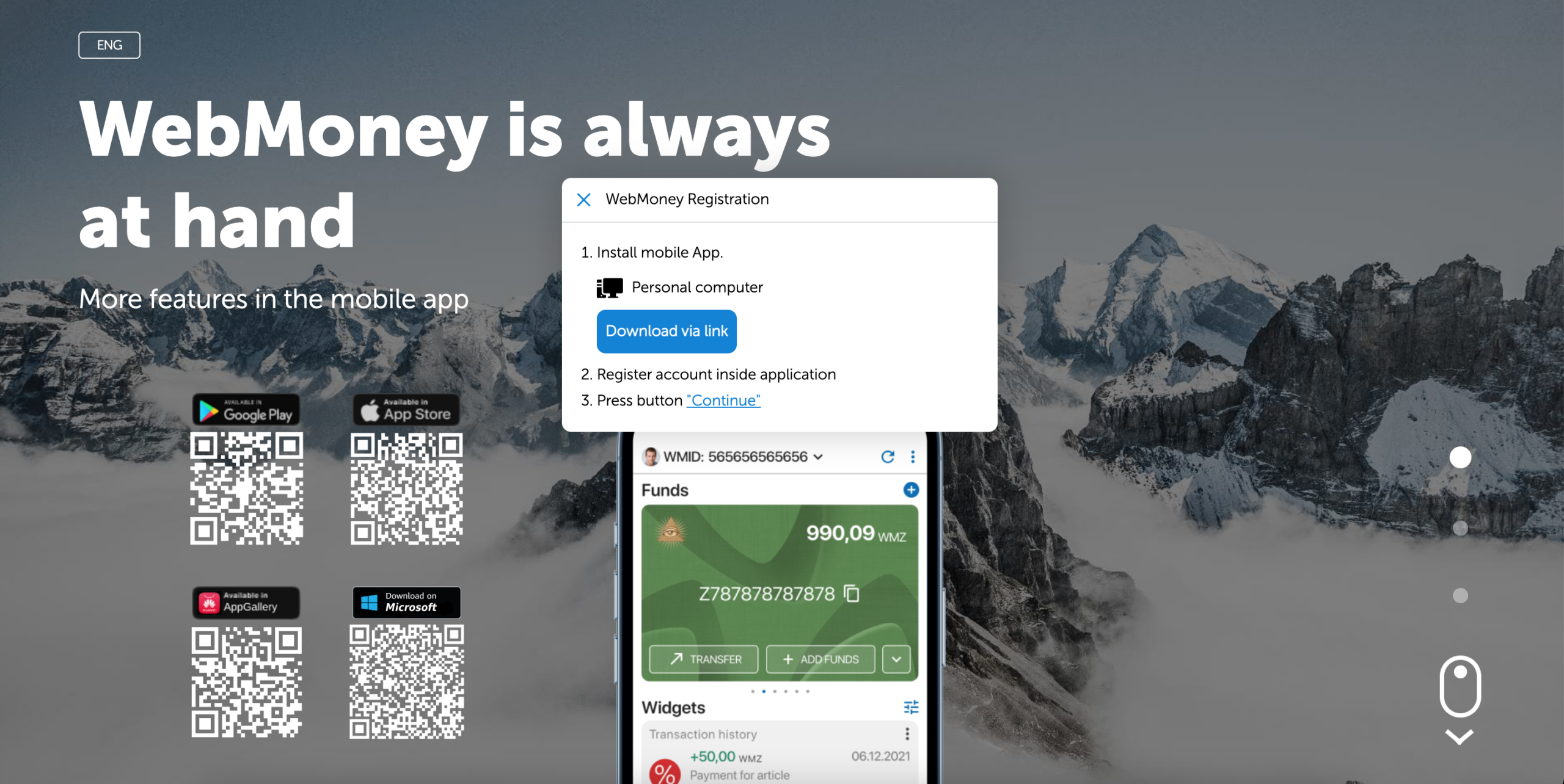
Keeper Mobile Applications
The applications that are accessible to users include:
Advantages and Disadvantages of Its Use as a Payment Method
The following outlines the benefits and drawbacks of the payment system:
Pros :
- Multiple WebMoney Keepers;
- Protection against fraud and scams;
- Option to request cards;
- Diverse methods for deposits and withdrawals;
- Affordable fees.
Cons :
- Limited availability from Canadian retailers;
- Methods for withdrawal and deposit differ based on the currency.
Alternatives to WebMoney
Explore alternatives to WebMoney.
Skrill compared to WebMoney
Skrill is a widely used payment option that facilitates online transactions, including those that are international.
Comparison of WebMoney and QIWI
QIWI is another Russian payment platform primarily utilised in the countries that were part of the former USSR.
WebMoney compared to Neteller
This payment option is mainly utilised for transactions involving merchants.
Paysafecard compared to WebMoney
Paysafecard is a prepaid method for online payments.
Comparison of WebMoney Payment and Bitcoin Payment
Bitcoin ranks among the most widely used cryptocurrencies.
Applications of WebMoney
WebMoney can be utilised for a variety of transaction types, which include the following:
- Online Payments;
- International transactions;
- Online Betting and Gambling;
- ATM withdrawals.
FAQ
Is there a prepaid card available for WebMoney?
Yes, you can request either a plastic or a virtual card.
Is it possible to utilise WebMoney in Canada?
Yes, you can use WebMoney in Canada.
What steps do I need to follow to create a WebMoney purse?
First, you must establish a WMID. After that, you can set up a purse in your chosen currency.
Am I able to transfer funds from WebMoney to PayPal?
You can accomplish this by using an exchange service.
Is WebMoney a legitimate service?
Yes, it is a completely legitimate payment service.
What is the process for withdrawing money from WebMoney?
You can select a payment method that is appropriate for the currency you are dealing with.
